
Sayatoo SubtitleMaker2.3.15.7216 - Download
You'll be able to download in few seconds.
Publisher Description
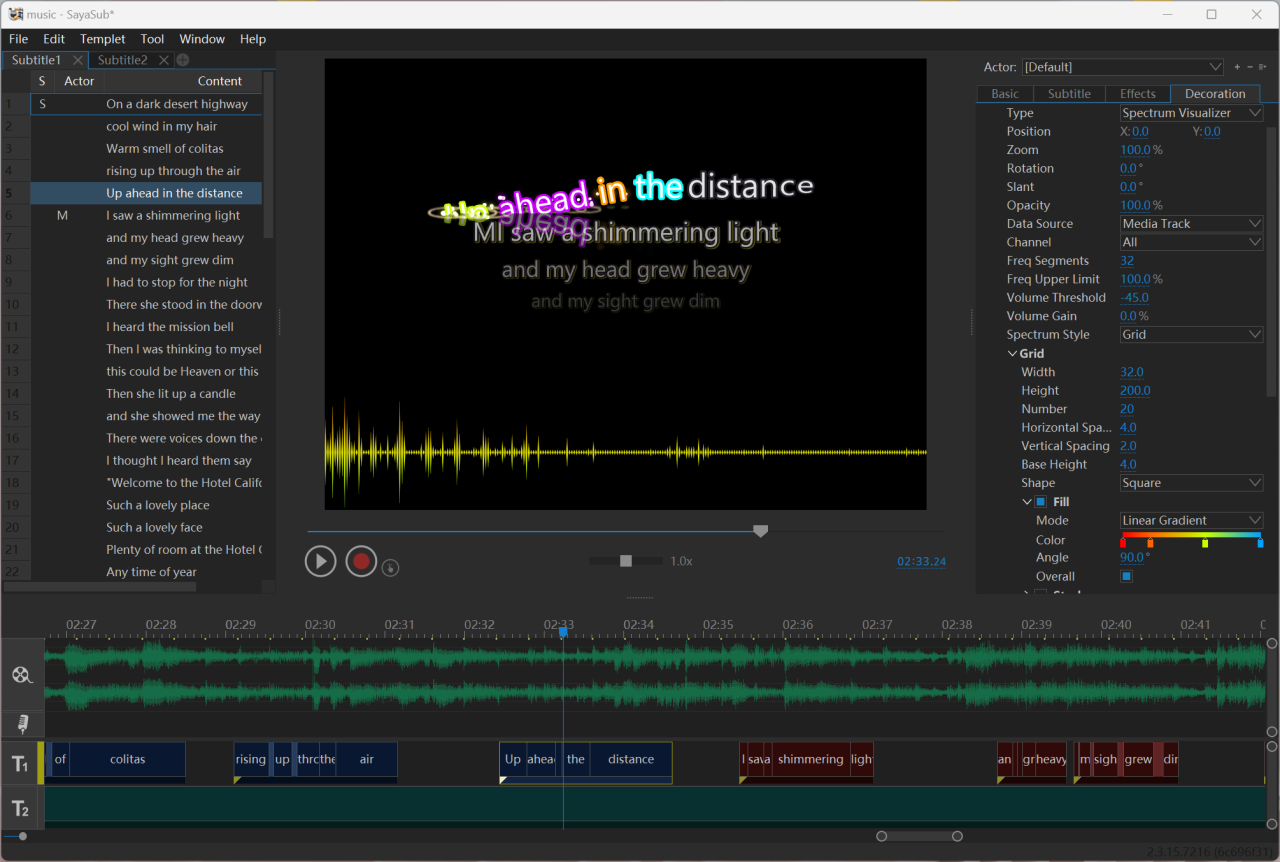
If you are looking for a simple way to create video subtitles for your movies or karaoke songs, you can benefit from Sayatoo SubtitleMaker.
Sayatoo SubtitleMaker is a simple and powerful subtitle editing software. The intuitive user interface, rich parameter settings and diverse effect modules, makes it quick and easy for you to time subtitles, and style them with various effects.
You can modify the font type, color and style, apply a shadow effect, as well as slant or rotate the text. It is also possible to add multiple types of transitions between lines and specify which effect should be used to animate the subtitles. Additionally, this application allows you to insert various types of signal indicators, consisting of a volume icon or a custom image file. If you want to characterize more dynamic effects, you can import the image sequence or the GIF animation to the background layers.
The output files can be imported into most of the video editing software (e.g. Corel VideoStudio, Adobe Premiere, Adobe After Effects, Canopus Edius, Sony Vegas).
About Sayatoo SubtitleMaker
This Video Tools program is available in English, ChineseSimplified, ChineseTraditional. It was last updated on 29 September, 2026. Sayatoo SubtitleMaker is compatible with the following operating systems: Windows.
The company that develops Sayatoo SubtitleMaker is Fuzhou Geemio Software Co., Ltd.. The latest version released by its developer is 2.3.15.7216.
The download we have available for Sayatoo SubtitleMaker has a file size of 88.1 MB. Just click the green Download button above to start the downloading process. The program is listed on our website since 2023-12-16 and was downloaded 0 times. We have already checked if the download link is safe, however for your own protection we recommend that you scan the downloaded software with your antivirus. Your antivirus may detect the Sayatoo SubtitleMaker as malware if the download link is broken.
How to install Sayatoo SubtitleMaker on your Windows device:
- Click on the Download button on our website. This will start the download from the website of the developer.
- Once the Sayatoo SubtitleMaker is downloaded click on it to start the setup process (assuming you are on a desktop computer).
- When the installation is finished you should be able to see and run the program.
Program Details
General
System requirements
Download information
Pricing
Version History
version 2.3.15.7216
posted on 2023-12-16
Added more effects.
Bug fixed.
version 2.3.7.5529
posted on 2019-01-05
version 2.3.6.5038
posted on 2018-11-15
Support Phonetic Notation
version 2.2.2.3265
posted on 2017-08-01
Support multiple subtitle tracks.
Disclaimer
External Download
We do not host Sayatoo SubtitleMaker on our servers. We did not scan it for viruses, adware, spyware or other type of malware. This app is hosted by the software publisher and passed their terms and conditions to be listed there. We recommend caution when installing it.
The external download link for Sayatoo SubtitleMaker is provided to you by apps112.com without any warranties, representations or guarantees of any kind, so access it at your own risk.
If you have questions regarding this particular app contact the publisher directly. For questions about the functionalities of apps112.com contact us.
